Integration capabilities
Relvy can be configured to read the following data from datadog:- Logs
- Metrics
- APM traces
- Dashboards
- Monitors
- Events
- Incidents
- Notebooks
Connecting to Datadog
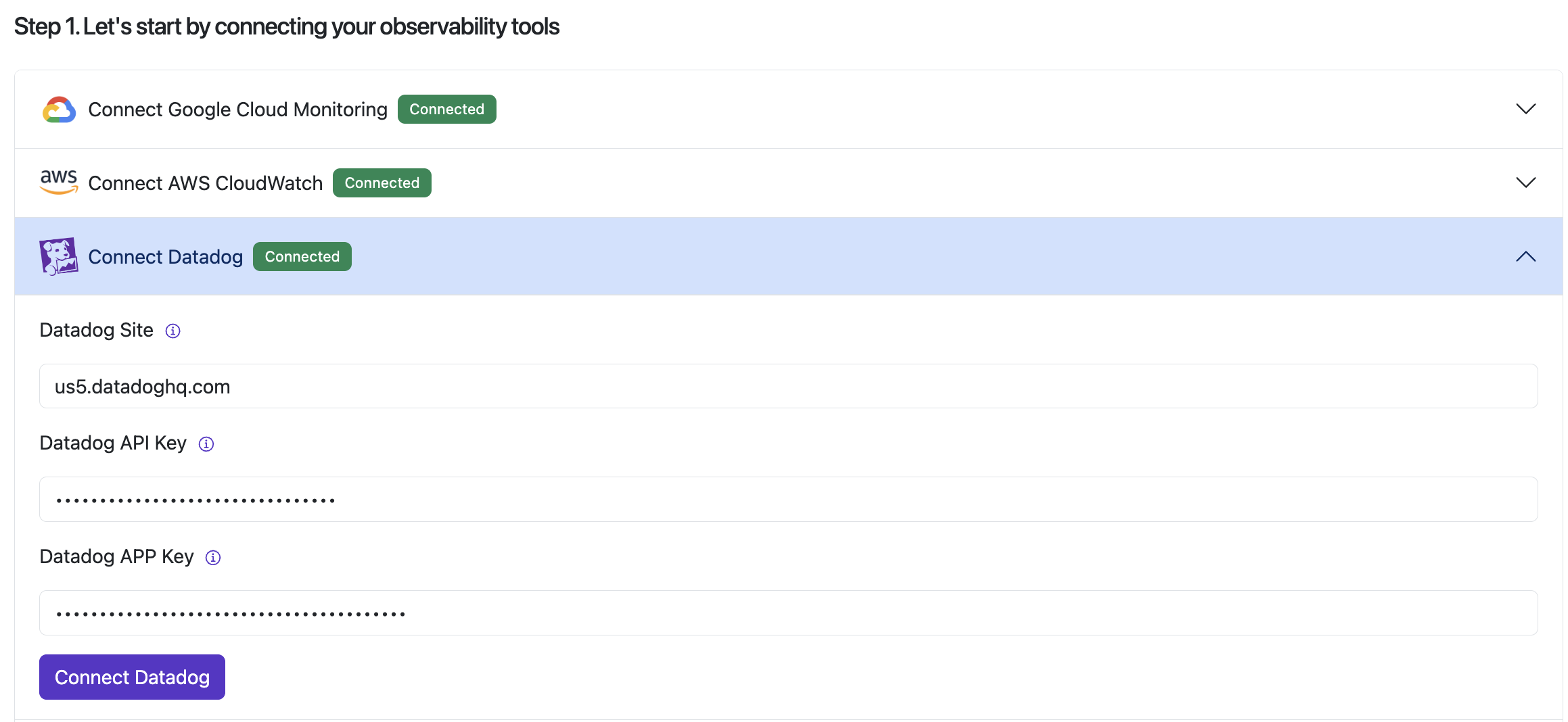
Customers connect Relvy to their datadog instance by providing the following options:Scopes
We request application keys with the following scopes:-
dashboards_read -
monitors_read -
events_read -
incident_read -
metrics_read -
notebooks_read -
timeseries_query -
apm_service_catalog_read -
apm_read -
logs_read_archives -
logs_read_data -
logs_read_index_data
Steps
- Navigate to your account settings page on Relvy.
- On the left menu panel, select
Data Sources. - Provide your site, API and Application keys in the
Connect Datadogsection. - You should see a green success badge that says
Connected